An AI inbox manager is a standing job you give an AI, with its own schedule and its own finished output. Mine runs at 3pm every day without me asking. It reads my inbox, works out who each person actually is to me by pulling from our whole email history, my calendar, and my networking files, then drafts the replies in my voice and leaves them sitting in my drafts folder. It writes the follow-ups I keep meaning to send, schedules them, and introduces two people who should know each other. The setup underneath all of it takes about two minutes: switching on the Gmail, Calendar, and Drive connectors inside Claude. Below is what the 3pm run does, the two minute briefing prompt you can copy today, and why this particular use of AI shows up in your revenue when using it to write captions does not.
The short version
- Give the AI a job instead of a question. An assistant waits for you to sit down and direct it. An employee has a standing assignment, runs on its own schedule, and hands you finished work.
- Switch on the connectors first. Settings, then Connectors, then Gmail, Calendar, and Drive. Two minutes, one time, and every workflow after that gets easier.
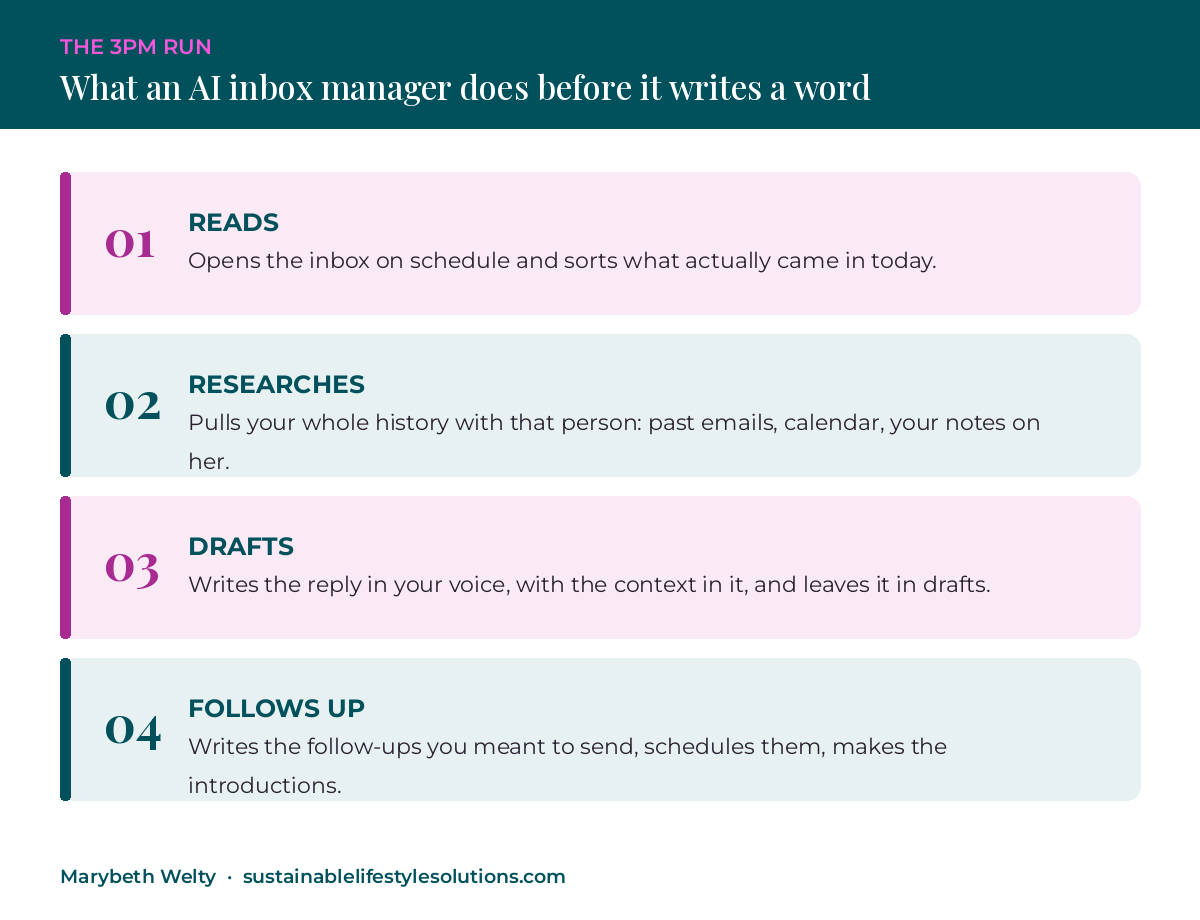
- The daily run does four things. Reads the inbox, researches each sender from your own history, drafts replies in your voice, and schedules the follow-ups you meant to send.
- Context is the reason the draft sounds like you. The AI reads what you two have already said to each other, what is on the calendar, and what your files say about her, before it writes a word.
- Start with the pre-call briefing. Two minutes before your next connection call, ask for a half page brief on the woman you are about to meet. That single prompt is the smallest version of this that still works.
- Operations is where AI moves the number. 69% of women business owners report time savings from AI, and only 33% of frequent users apply it to operations (Cherie Blair Foundation with Intuit and the World Bank, 3,000+ owners surveyed, March 2026).
What an AI inbox manager actually does
An AI inbox manager is an AI worker with one standing assignment: handle your email on a schedule you set, using everything your business already knows about the person who wrote to you.
Mine runs at 3pm. It opens the inbox and sorts what came in. Before it drafts anything, it goes and finds out who this person is to me. Every email we have already exchanged. Whether we have something on the calendar, in the past or coming up. Whatever my networking files say about her, her business, her kids, the launch she was nervous about in May. Then it writes the reply the way I would have written it if I had remembered all of that myself.
Last week it connected two different groups of people in about three seconds. I did not search for anyone’s email address. I did not write the introduction. It also drafts the follow-ups that were on my list and never got sent, puts them in drafts, and schedules them for a sensible hour.
The inbox manager is one piece of a larger AI employee I call my CRO, my Chief Relationship Officer. That one handles email, LinkedIn, Instagram, and Messenger, and tracks every contact, opportunity, and invitation that arrives through networking, email, and social. Email used to be the thing I avoided, purely because of how long it took me to write back to people properly. My inbox flows now, in and out, with connections and leads and opportunities in it.
The shift that made it work
I stopped asking AI questions and started giving it a job.
An assistant waits for you to open a chat, explain the situation, and tell it what to produce. An employee has a standing assignment, runs on its own schedule, and hands you something finished. The difference shows up in your calendar, because one of those requires you to be sitting there and the other does not.
That distinction is what I check every AI worker against now. Some of mine run without being asked. Others wait to be called. Marking which is which is how you tell whether you built an employee or saved a clever prompt.
| Runs on a schedule | Waits to be called |
|---|---|
| Morning brief, every weekday | Competitive research on a specific company |
| Inbox sweep and drafts, 3pm daily | Writing a sales page |
| AI coach digest, twice a week | Prepping a talk |
| Weekly plan, Sunday evening | Cleaning up a messy spreadsheet |
Connect your tools once, then stop re-explaining yourself
Connectors let you link your Gmail, your calendar, and your Drive one time. After that, Claude opens already knowing your inbox, your week, and your files.
No pasting the doc in again. No re-explaining your business at the start of every session. No reminding it who you serve. It is the difference between a helper with amnesia and one that already knows where everything lives, which is also the difference between the AI you tried last year and the AI in the updates I round up each week.
Settings, then Connectors, then switch on Gmail, Calendar, and Drive. About two minutes. Almost every AI workflow worth having sits on top of that one step, which is why I would do it before anything else on this page.
The two minute briefing prompt you can steal
Two minutes before your next one to one networking call, have Claude brief you on the woman you are about to meet. Paste this in:
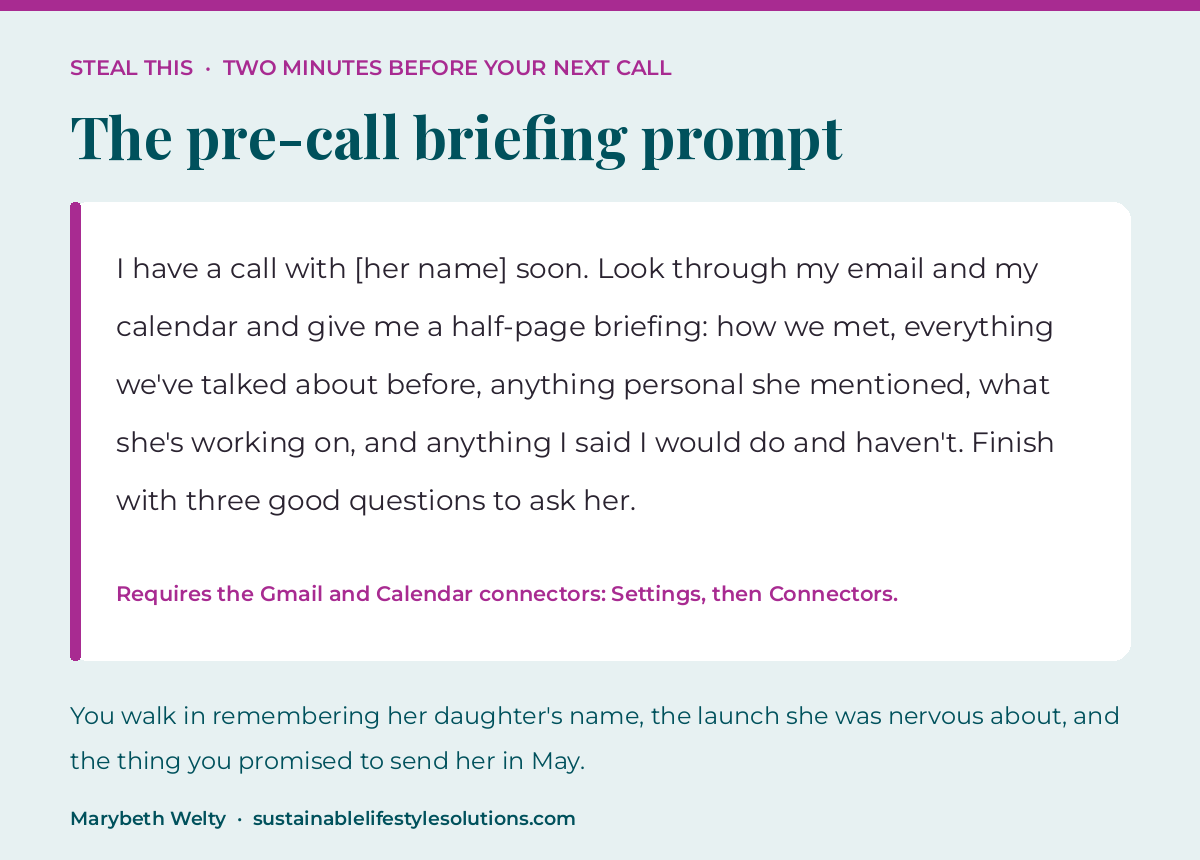
I have a call with [her name] soon. Look through my email and my calendar and give me a half-page briefing: how we met, everything we’ve talked about before, anything personal she mentioned, what she’s working on, and anything I said I would do and haven’t. Finish with three good questions to ask her.
You will walk in remembering her daughter’s name, the launch she was nervous about, and the thing you promised to send her in May.
Being a good friend and being organized is most of business. That is what makes a woman refer you six months later. All of that information has been sitting in your inbox the entire time with no plan to use it, which is the same gap The $65K Networking System was built to close.
Why operations is where AI shows up in your revenue
Most women I talk to are already using AI. They use it for captions, emails, and blog outlines, and they cannot point at a single number that changed because of it.
The research says the same thing. The Cherie Blair Foundation, with Intuit and the World Bank, surveyed more than 3,000 women business owners in March 2026. 69% reported time savings from AI. Only 33% of frequent users applied it to operations, and 35% to finance, the two areas that underpin cost management, planning, and resilience. The time savings are real, and they are landing in marketing, which was never the part holding your business back.
There is a confidence gap sitting underneath that. Among business owners aged 45 to 64, only 21% say they are very familiar with AI, against 49% of owners aged 18 to 34. A Harvard Business School meta-analysis across 18 studies and 140,000 people found women had 22% lower odds of using generative AI at all. The JPMorgan Chase Institute, looking at business banking transactions from 2019 through 2025, found male-owned businesses reached 19.7% AI adoption against 17.2% for female-owned, a gap more than eight times wider than it was in 2019.
Your inbox is operations. It is where opportunities arrive and where they die. Putting an AI employee on it is a smaller decision than hiring, and it is one of the systems that run without you once it is built, which is what actually buys back time, location, and financial freedom at the same time.

Questions women entrepreneurs are asking about this
What is an AI inbox manager?
An AI inbox manager is an AI worker with a standing assignment to process your email on a schedule, drafting replies in your voice using your own email history, calendar, and files as context. It differs from an autoresponder because it researches each sender before writing, and it produces a draft you approve rather than sending on its own.
Does the AI send emails without me approving them?
Mine does not. It writes the reply and leaves it in my drafts folder, so I read it, adjust a line if I want to, and hit send myself. Keeping a human approval step is the right default for anything going out under your name, especially with clients and referral partners.
How do I connect Claude to my Gmail and calendar?
Open Settings, then Connectors, then switch on Gmail, Google Calendar, and Google Drive and approve the permissions when prompted. It takes about two minutes and only has to be done once per account. Every workflow in this post depends on that step.
Will the replies actually sound like me?
They sound like you to the degree the AI has your context. Your own sent mail does most of the work, because it is the largest sample of your writing voice that exists anywhere. Give it a document describing your business, your offers, and how you talk, and the drafts get closer again.
Is an AI inbox manager better than hiring a virtual assistant?
They solve different problems. A VA needs your expertise turned into written workflows before she can help, which is the step most solo business owners never finish. An AI employee reads your existing history directly, costs a fraction of a salary, and needs no onboarding, though it also cannot exercise judgment on anything genuinely sensitive.
How long does it take to set up an AI inbox manager?
The two minute briefing prompt in this post works today. A daily scheduled sweep that drafts and files replies in your voice is a build, and in my one to one work that lands inside a four session engagement rather than a single sitting.
Build your first AI employee with me
The AI Employee Build-Out, $2,997, four private sessions. We build your first custom AI employee together, one to one, trained on your business and your actual voice, with your tools connected so it can do real work on a schedule. You keep everything we build.
Book a free discovery call and see what your first AI employee should be →
If you would rather start smaller, Insider Secrets goes out every Friday with what I built that week and one thing you can try in about two minutes.
ABOUT MARYBETH WELTY
Marybeth Welty is a business coach, systems strategist, and founder of Women Entrepreneurs Who Travel and Sustainable Lifestyle Solutions. She has spent 19 years traveling between the US and Canada and across 11 countries, building and running her businesses from villas, co-working spaces, cafes, and everything in between.
These days she builds AI employees: the assistants, planners, and follow-up systems that run the parts of a business that used to take up half of a founder’s whole week. She helps women entrepreneurs put those systems, their offers, and their mindset together so they can work from anywhere and actually enjoy the life they built the business for.
Follow her on Instagram @marybethwelty, or come join the free Facebook community, Women Entrepreneurs Who Travel.
Keep reading: An inbox manager is one example of an AI employee. Here is what an AI employee is, and how to build your first one.